Free YouTube to Blog Post Generator (AI Converter)
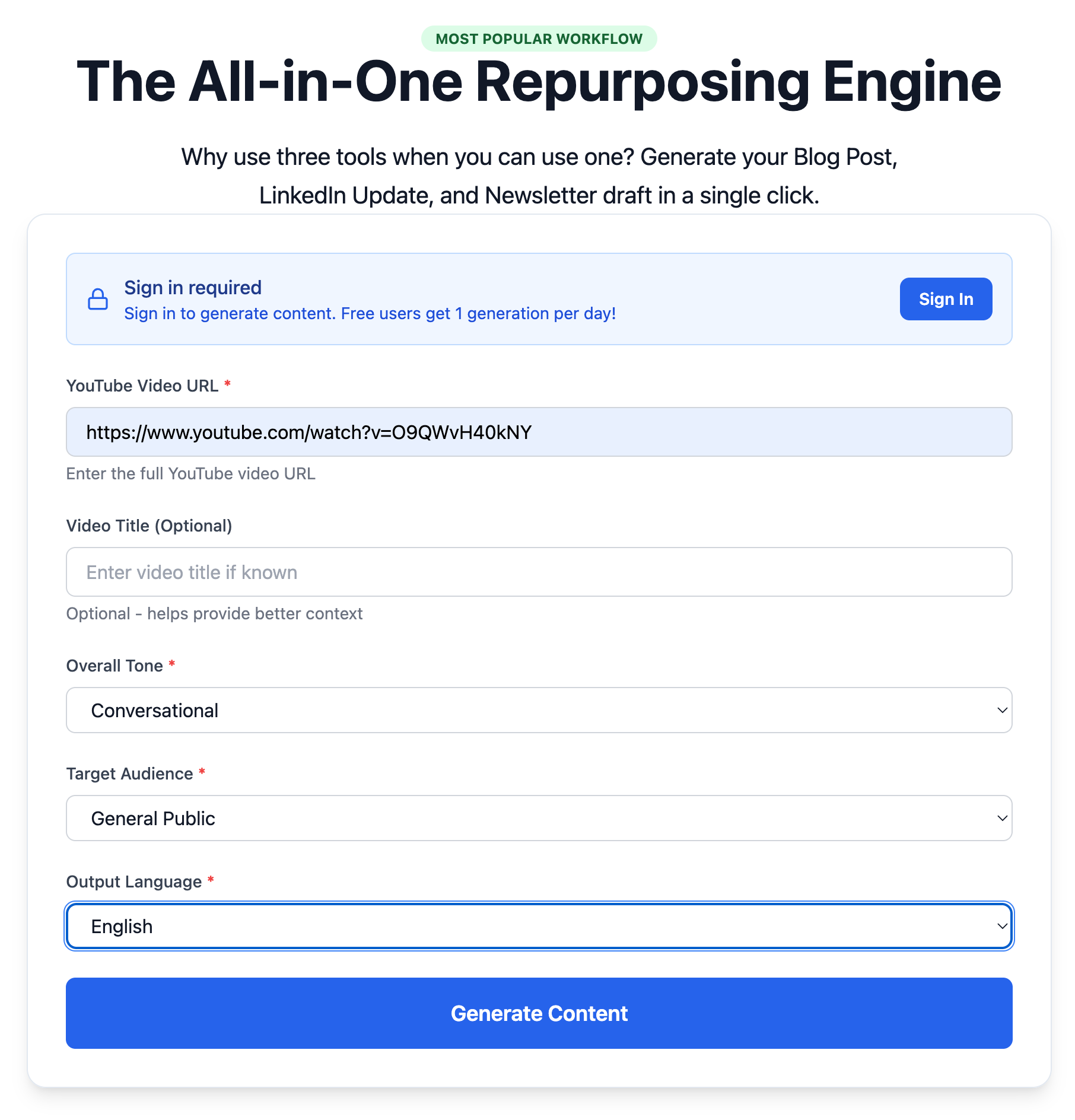
Use the YouTube to Blog Post Generator Tool →
Overview
This Free YouTube to Blog Post Generator is an AI-powered converter that transforms YouTube videos into SEO-optimized blog posts.
Instead of manually rewriting video content, the tool:
It's built for creators, marketers, founders, and anyone repurposing video content into written form.
How the YouTube to Blog Post Generator Works
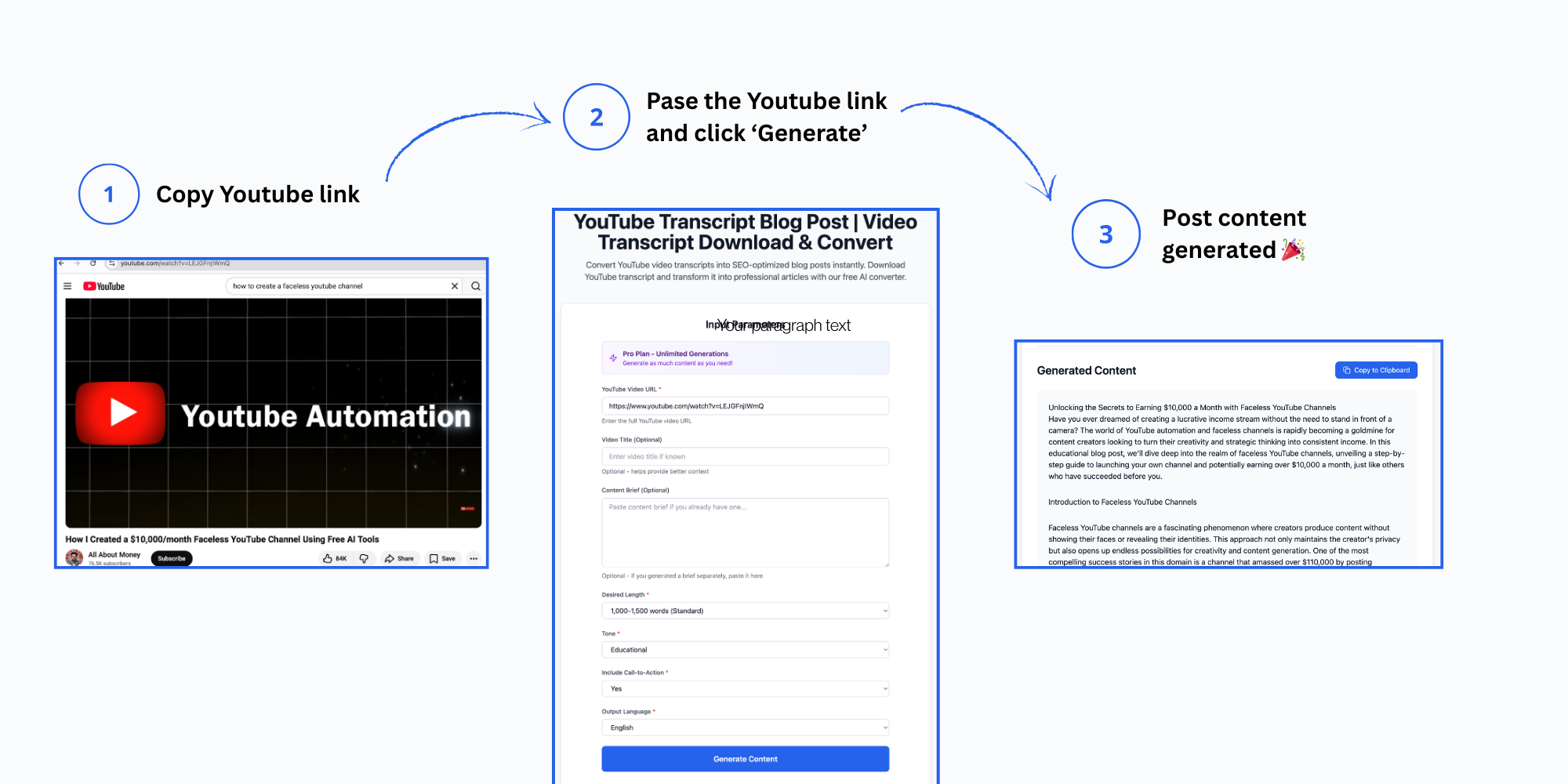
This tool follows a structured, technical workflow:
1. Transcript Extraction
The system retrieves the video transcript directly from YouTube (when available).2. Content Analysis
The transcript is parsed into logical sections, identifying:3. AI Conversion
Using AI, the tool converts raw transcript data into:4. Final Output
You receive a publish-ready draft that can be edited, expanded, or optimized further.This is not a copy-paste transcript—it's a rewritten article.
Features

✅ Transcript-to-Article Conversion
Automatically turns spoken content into readable blog text.✅ SEO-Optimized Structure
Includes logical headings, scannable sections, and clean formatting suitable for ranking.✅ Fast Draft Generation
Create a long-form blog draft in minutes instead of hours.✅ Markdown-Friendly Output
Easily publish to most CMS platforms.✅ Built for Repurposing
Designed specifically for creators who already publish on YouTube.Supported Languages

The YouTube to Blog Post Generator supports multiple languages, including:
This makes it useful for international creators and multilingual blogs.
How to Use the Tool
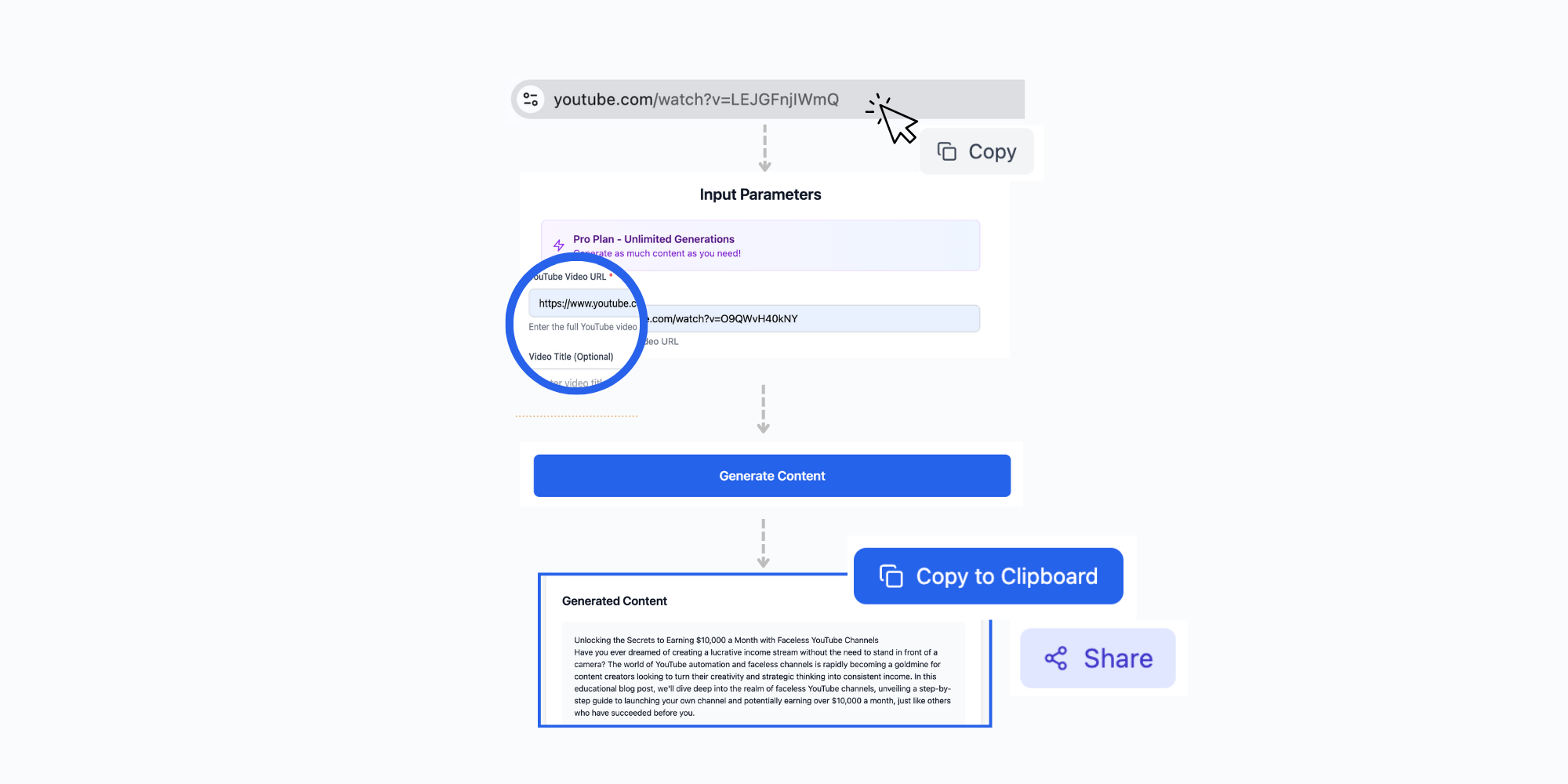
Step 1: Paste a YouTube URL
Insert the full URL of a public YouTube video.Step 2: Choose Your Preferences
Select tone, length, or structure (if available in the tool).Step 3: Generate the Blog Post
Click generate and let the AI convert the video into a blog draft.Step 4: Review and Edit
Polish the content, add internal links, images, and your own voice before publishing.Who Is This Tool For?
This AI converter is ideal for:
If you already make videos, this tool helps you multiply their value.
Why Convert YouTube Videos to Blog Posts?
SEO Benefits
Blog posts rank in search engines, while YouTube videos primarily rank in YouTube search. By converting videos to articles, you:Accessibility
Not everyone consumes video content. Written articles serve users who:Content Longevity
Blog posts have longer shelf lives in search results compared to videos, which can get buried in recommendation algorithms.Best Practices for Video-to-Blog Conversion
1. Edit the AI Output
Always review and customize the generated content:2. Enhance SEO Elements
3. Link Back to the Original Video
Embed or link to your YouTube video within the blog post to drive views and watch time.4. Update and Refresh
Periodically update blog posts with new information to maintain search rankings.Common Use Cases
Tutorial Videos → Step-by-step how-to guides Product Reviews → Detailed comparison articles Interviews → Q&A format blog posts Webinars → Educational long-form content Case Studies → Success story articles
Start Converting Videos to Blog Posts
Ready to repurpose your YouTube content?
Try the Free YouTube to Blog Post Generator →
Transform your video library into a content empire. Every video you've created is potential blog traffic waiting to happen.