How to Turn Any YouTube Video Into LinkedIn Posts in 60 Seconds (Single & Batch)
You watched a great YouTube video. You want to share the insight on LinkedIn. But rewriting it yourself takes 20 minutes, and you're not sure how to trim a 40-minute video into a crisp post that actually performs.
This guide shows you the exact workflow — single post and batch mode — using Random Prompts' YouTube to LinkedIn Post Generator. No signup needed for your first generate.
---
Step 1 — Generate a single LinkedIn post
This is the fastest path. Paste one URL and you're done in under 60 seconds.
How to do it:
1. Go to the YouTube → LinkedIn Post Generator 2. Paste any public YouTube video URL with captions (most videos have auto-captions) 3. Select your tone: Professional, Conversational, or Storytelling 4. Click Generate 5. Copy the result and paste directly into LinkedIn
The AI reads the full transcript, identifies the 3–5 most shareable insights, structures them as a hook → bullet points → call to action, and adds relevant hashtags. The whole process takes about 20–45 seconds.
What makes a good source video:
---
Step 2 — Process multiple videos at once with Batch Mode
If you're a content creator, marketer, or agency managing multiple clients, single-generate gets slow fast. Batch Mode lets you process up to 10 YouTube URLs in one click — one credit per video.
How Batch Mode works:
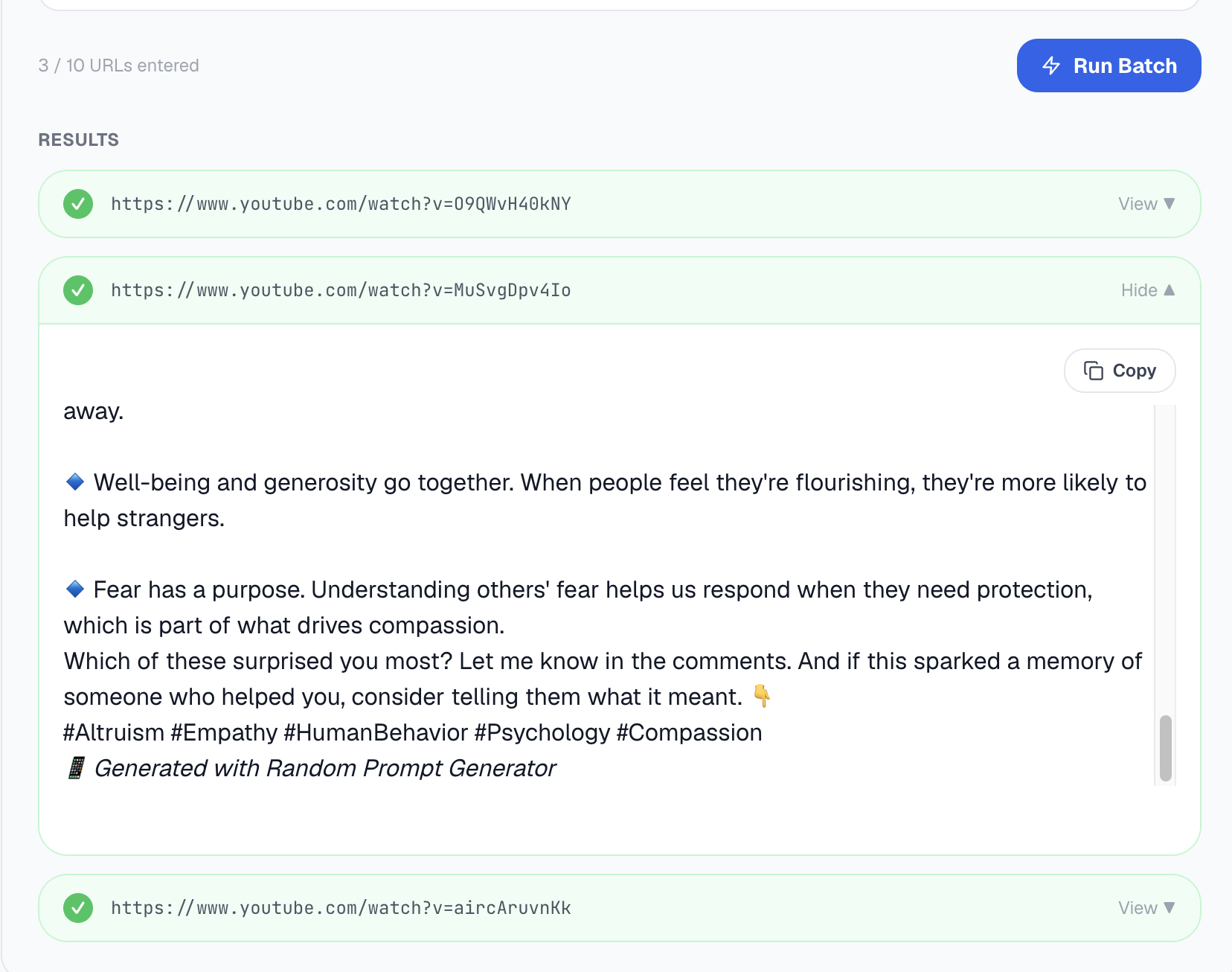
1. Scroll below the main generator to the Batch Mode panel (Pro users only) 2. Paste your YouTube URLs, one per line — up to 10 at a time 3. Click Run Batch 4. Each URL processes independently — you can expand and copy each result as it completes
The screenshot above shows 3 videos processed successfully (green ticks). Clicking View on any row expands the full LinkedIn post ready to copy.
---
Your generation history — always there when you need it
Every post you generate is saved to your Generation History so you never lose a draft.
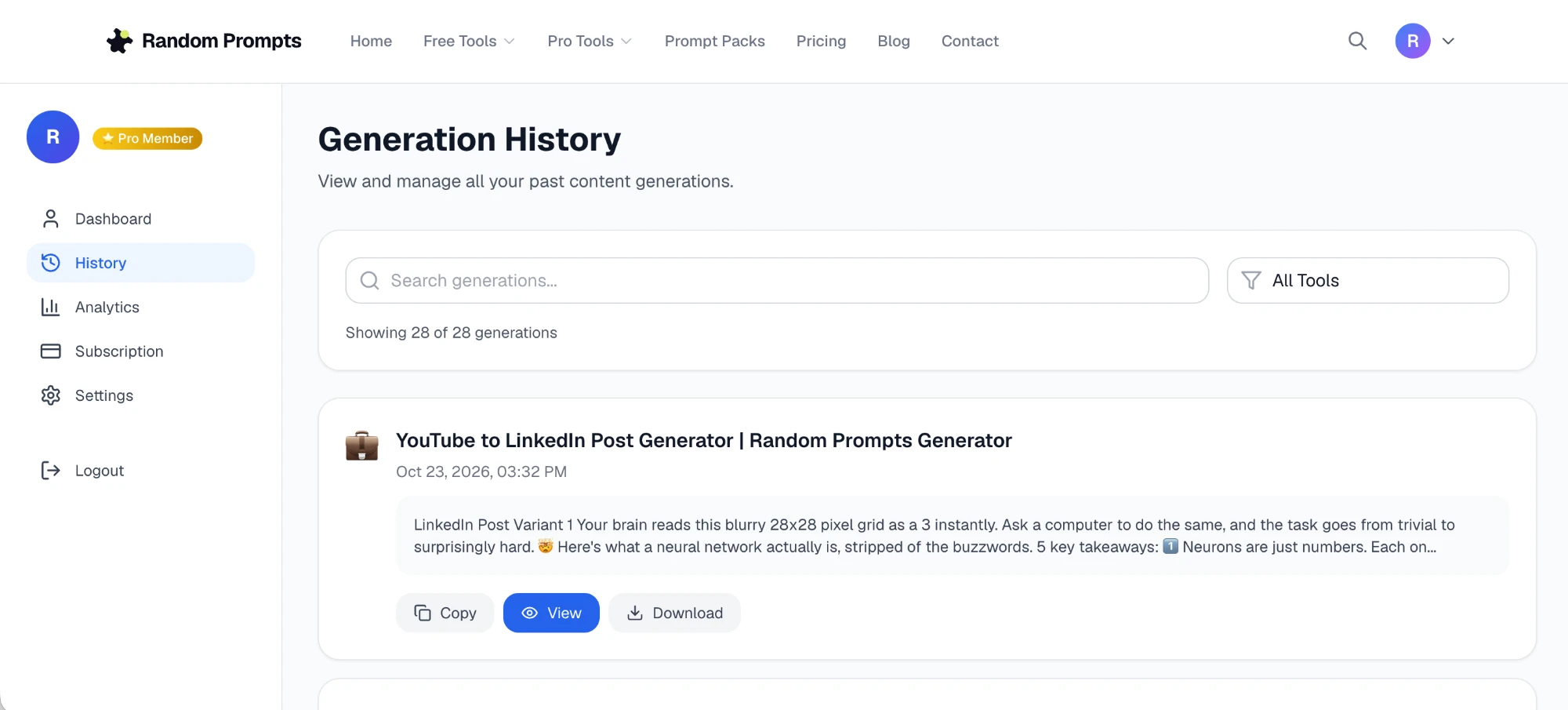
Go to Dashboard → History to search, filter by tool, copy, view or download any past generation. The example above shows 28 saved posts — all searchable and filterable by tool. The Download button exports the post as a text file, handy for handing off to a client or dropping into a content calendar.
Best use cases for Batch Mode:
---
The output format
Every generated post follows a proven LinkedIn structure:
[Hook line — the most surprising or counterintuitive insight][3–5 bullet points with the key takeaways]
[Closing line + soft CTA — e.g. "Which of these surprised you most?"]
[3–5 relevant hashtags]
📱 Generated with Random Prompts Generator
This format consistently outperforms wall-of-text posts because the hook stops the scroll, the bullets are easy to skim on mobile, and the question drives comments — which LinkedIn's algorithm rewards.
---
Tips for better outputs
Use the tone selector. "Professional" gives you tighter, more formal language — better for B2B, finance, legal. "Conversational" reads more human and personal — better for personal brand content. "Storytelling" restructures the insights as a mini-narrative — works well for inspirational or founder content.
Edit the hook. The AI generates a solid hook, but you know your audience. Spend 30 seconds swapping in a more specific number or a more provocative angle. That one sentence determines whether anyone reads the rest.
Post within 48 hours of the video going live. YouTube trending content has a short window. If you're repurposing someone else's video, posting while it's still being shared gives you a relevance bump.
Add one personal line. The generated post is accurate but generic. One sentence like "I tried this last quarter and it cut my onboarding time in half" makes it yours — and LinkedIn's algorithm heavily weights original perspective.
---
The TikTok/Instagram workflow
Record a 30–60 second screen-capture video showing the tool in action:
1. Paste a YouTube URL into the generator 2. Click Generate 3. Show the LinkedIn post appearing on screen 4. Copy and paste into LinkedIn
Caption it: "Stop rewriting YouTube videos manually — this does it in 45 seconds" with hashtags #linkedintips #contentcreator #aitools #productivity.
Watch the demo
(Demo video coming soon — follow @randomprompts on TikTok for the full walkthrough.)
---
Want a TikTok script for your own demo video?
If you're a content creator and want to post your own demo of this tool, use the YouTube to TikTok Script Generator — paste any YouTube video URL and it writes you a complete TikTok script with hook, spoken lines, on-screen text overlays, caption, and hashtags. Works for Reels and YouTube Shorts too.
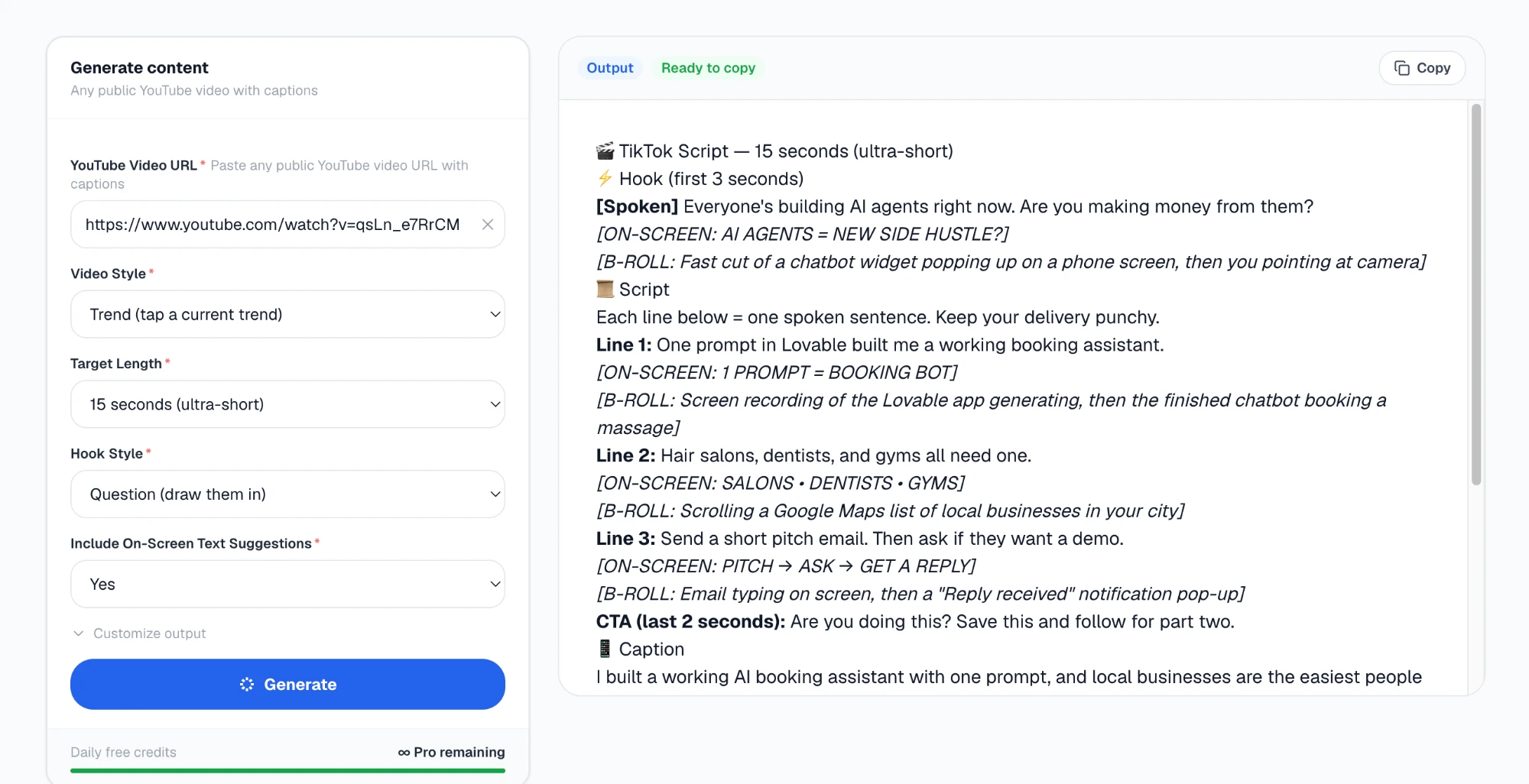
The example above shows a 15-second script generated from a YouTube video about AI agents — hook line written, B-roll cues suggested, on-screen text overlays ready to drop into CapCut or Premiere. Each line is ≤12 words so it fits on screen without rushing delivery.
---