What is the "I've Been Reading Books of Old" AI Book Trend?
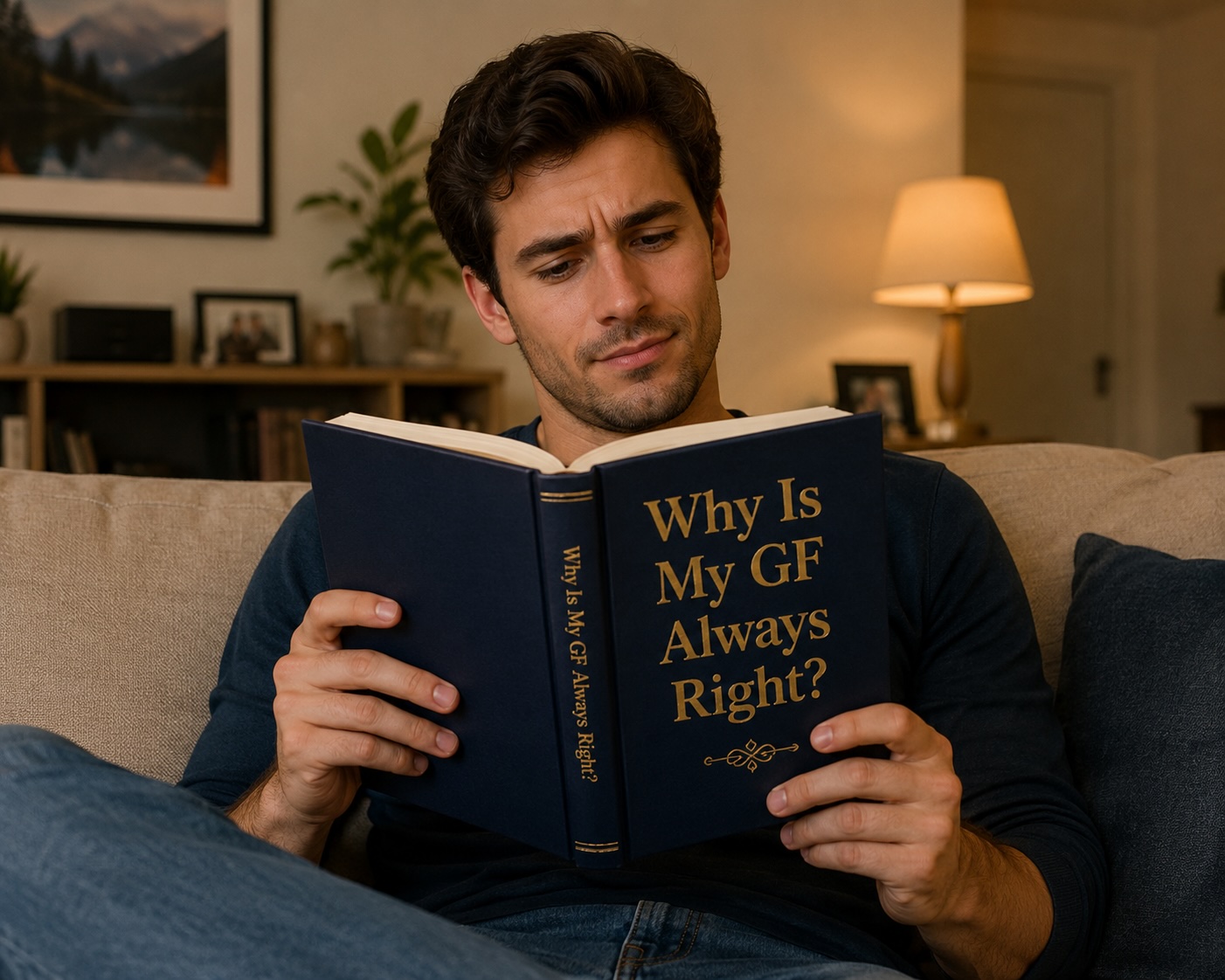
The AI book trend is one of 2026's most viral TikTok formats. It started on February 12th, 2026, when TikTok user @tristynohtristyn posted a video of himself reading a book while "Something Just Like This" by The Chainsmokers & Coldplay played in the background. The video hit 13.1 million views. Then the @avaxaden couple took the format viral: the boyfriend filmed himself casually reading a book titled "Why Is My GF Always Right?" — the video reached 15.7 million views and 2.2 million likes in under a month.
Now millions are using AI image tools like ChatGPT's GPT Image 2, Grok Imagine, and DALL-E to generate photorealistic images of themselves holding a book with a custom funny title — without needing to physically print a single thing. The AI book trend prompt preserves your face, clothing, and background and simply adds the book to your hands.
Every prompt below is ready to paste into ChatGPT with a photo of yourself. Pick a funny title from the 20 below, paste the full prompt, upload your photo, and your viral book meme is ready in seconds.
How to Create Your AI Book Meme — 3 Steps
Take or choose a photo of yourself
Use a clear, well-lit front-facing photo. Your hands should be roughly in front of your body — reading position works best, but any natural pose works. The AI will figure out the hand placement.
Pick a book title and copy the prompt
Choose one of the 20 funny titles below and click Copy. Each prompt already includes the full book cover design description and the instruction to preserve your face and background.
Paste into ChatGPT and upload your photo
Open ChatGPT, paste the prompt, attach your photo, and generate. For best results use GPT Image 2 (ChatGPT's latest image model). Grok Imagine and Nano Banana Pro also work great and are free.
Pro tip — the most viral format:
Film a short video of yourself "reading" the book with "Something Just Like This" by The Chainsmokers playing. The lyrics appear on screen in the original TikTok format. Use the AI image as a prop photo or print it for the video. This is the exact format that got 15.7M views.
20 Funny AI Book Titles + Copy-Paste Prompts
Click Copy on any prompt — paste it into ChatGPT with your photo attached
1. "Why Is My GF Always Right?"
A Survivor's Guide
RelationshipsGenerate a realistic photo of the person in the reference image sitting and reading a hardcover book titled 'Why Is My GF Always Right?' with the subtitle 'A Survivor's Guide'. Keep their face, expression, clothing, and background exactly as in the original photo. Add only a book to their hands. Book cover: clean modern design, dark navy background, bold white and gold serif title text, professional publishing quality. Realistic hand positioning, perfect lighting match to the original photo.
2. "She Said She Wasn't Mad"
Advanced Field Research
RelationshipsGenerate a realistic photo of the person in the reference image reading a hardcover book titled 'She Said She Wasn't Mad' with the subtitle 'Advanced Field Research'. Keep their face, expression, body, and background identical to the original. Add only the book to their hands. Cover design: deep red background, white distressed serif font, a minimalist illustration of a storm cloud, professional literary fiction aesthetic. Natural lighting, realistic hand and arm positioning.
3. "I Thought We Were Fine"
Collected Essays on Silence
RelationshipsGenerate a realistic photo of the person in the reference image holding an open book titled 'I Thought We Were Fine' with the subtitle 'Collected Essays on Silence'. Keep everything in the original image unchanged except for the book added to their hands. Cover: muted sage green, minimalist line art of two figures facing away from each other, elegant thin serif font, literary fiction aesthetic. Soft warm lighting consistent with the original photo.
4. "I Understood It Before the Exam"
A Memoir in Three Modules
Student LifeGenerate a realistic photo of the person in the reference image reading a paperback book titled 'I Understood It Before the Exam' with the subtitle 'A Memoir in Three Modules'. Preserve all features from the original photo — face, clothes, background — and add only the book. Cover: worn yellow background, typewriter-style text, a coffee ring stain graphic, university library atmosphere. Realistic paper texture, matching lighting from original.
5. "It Due Tomorrow"
The Complete Overnight Guide
Student LifeGenerate a realistic photo of the person in the reference image holding a textbook titled 'It Due Tomorrow' with the subtitle 'The Complete Overnight Guide'. Keep their face, pose, clothing, and environment unchanged from the original photo — only add the book. Cover: urgent red and white design, bold condensed font, ticking clock illustration, modern academic publishing style. Lighting and shadow consistent with the original image.
6. "I'll Study Tomorrow"
Volume 4
Student LifeGenerate a realistic photo of the person in the reference image reading a thick, well-worn textbook titled 'I'll Study Tomorrow: Volume 4'. Keep everything in the original photo unchanged — only add the book to their hands. Cover: frayed blue cloth hardcover, gold embossed lettering, spine showing visible wear, college library aesthetic. Photorealistic texture, matching the ambient light from the original photo.
7. "I Just Work Here"
Strategies for Quiet Persistence
Work & CareerGenerate a realistic photo of the person in the reference image sitting and reading a hardcover titled 'I Just Work Here' with the subtitle 'Strategies for Quiet Persistence'. Preserve all facial features, expression, body, and background from the original — add only the book. Cover design: grey corporate aesthetic, clean sans-serif font, a tiny potted desk plant illustration, business self-help style. Professional lighting consistent with the original photo.
8. "Meetings That Could've Been Emails"
A Definitive Collection
Work & CareerGenerate a realistic photo of the person in the reference image holding a thick hardcover book titled 'Meetings That Could've Been Emails: A Definitive Collection'. Keep the person's appearance, pose, and background unchanged. Add only the book. Cover: beige linen texture, black sans-serif text, a small illustration of a laptop screen, premium non-fiction aesthetic. Realistic hand grip, natural lighting matching the source image.
9. "Out of Office"
A Permanent Guide
Work & CareerGenerate a realistic photo of the person in the reference image reading a bright-covered paperback titled 'Out of Office: A Permanent Guide'. Keep all details from the original photo unchanged — only add the book to their hands. Cover: vibrant coral and cream design, playful rounded serif font, an illustration of a beach hammock, travel lifestyle aesthetic. Sharp print quality, lighting matched to the original photo environment.
10. "I Didn't Ask to Be Born"
Your Child's Position Paper
Parenting & FamilyGenerate a realistic photo of the person in the reference image holding and reading a parenting book titled 'I Didn't Ask to Be Born' with the subtitle 'Your Child's Position Paper'. Preserve all facial features, clothing, and background — add only the book. Cover: off-white with a hand-drawn crayon-style font, a small illustration of a child in a cape, humorous parenting book aesthetic. Warm, domestic lighting consistent with the original photo.
11. "They Never Told Me It Would Be Like This"
Field Notes from Year One
Parenting & FamilyGenerate a realistic photo of the person in the reference image reading a softcover book titled 'They Never Told Me It Would Be Like This: Field Notes from Year One'. Keep the person's face, body, and setting unchanged — add only the book. Cover: pale blue, tired but warm handwritten font, a simple illustration of a baby onesie, new parent memoir style. Soft home lighting matched to the original.
12. "I Already Ate But I'm Still Hungry"
The Research Continues
Food & Daily LifeGenerate a realistic photo of the person in the reference image sitting and reading a book titled 'I Already Ate But I'm Still Hungry: The Research Continues'. Preserve all original photo details — only add the book. Cover: warm terracotta orange, hand-lettered playful font, a fork and question mark illustration, food essay collection aesthetic. Cosy kitchen lighting consistent with the original image.
13. "I'm Not Addicted to Coffee"
A Preliminary Investigation
Food & Daily LifeGenerate a realistic photo of the person in the reference image holding a paperback book titled 'I'm Not Addicted to Coffee: A Preliminary Investigation'. Keep everything in the original photo exactly as is — only add the book to their hands. Cover: deep espresso brown, cream serif font, a simple line-art coffee cup, academic spoof aesthetic. Natural café or morning lighting consistent with the original photo.
14. "I Have Plans Tonight"
Selected Excuses, 2018–2026
Introvert / Social LifeGenerate a realistic photo of the person in the reference image reading a thin hardcover titled 'I Have Plans Tonight: Selected Excuses, 2018–2026'. Keep all original photo elements unchanged — add only the book. Cover: dark forest green, gold italic serif font, a small couch illustration, dry-humour essay collection style. Warm interior lighting matching the original photo.
15. "I'm Five Minutes Away"
An Autobiography
Introvert / Social LifeGenerate a realistic photo of the person in the reference image holding a slim paperback titled 'I'm Five Minutes Away: An Autobiography'. Preserve the person's appearance, expression, and background completely — only add the book. Cover: urban night photography style, bold white font on black, a blurred street background graphic, candid memoir aesthetic. Lighting and shadow matching the original photo.
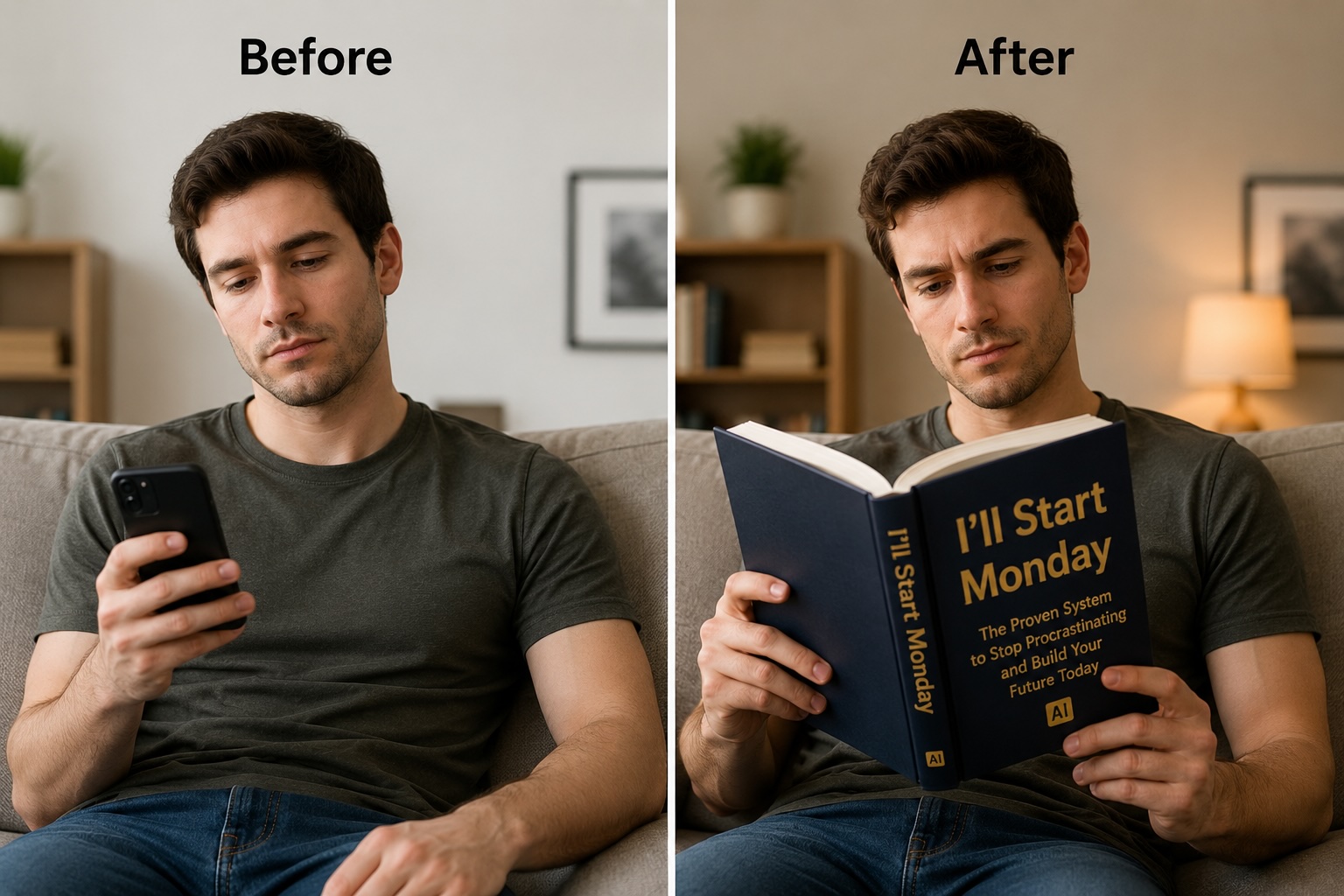
16. "I'll Start Monday"
A Decade of Intentions
Motivational (Satirical)Generate a realistic photo of the person in the reference image reading a self-help book titled 'I'll Start Monday: A Decade of Intentions'. Keep all details from the original photo identical — only add the book. Cover: bright motivational yellow, bold black title, a calendar page with Monday circled and crossed out, bestseller self-help spoof. Clean bright lighting consistent with the original photo.
17. "Be the Main Character"
A Practical Delusion
Motivational (Satirical)Generate a realistic photo of the person in the reference image holding a glossy hardcover titled 'Be the Main Character: A Practical Delusion'. Keep the person's face, outfit, and background unchanged from the original photo — only add the book. Cover: dramatic purple and gold gradient, cinematic bold font, a spotlight illustration, premium self-help aesthetic. Dynamic lighting consistent with the original photo.
18. "My Dog Understands Me Better Than You Do"
Clinical Evidence
PetsGenerate a realistic photo of the person in the reference image sitting and reading a book titled 'My Dog Understands Me Better Than You Do: Clinical Evidence'. Keep their face, pose, clothing, and background unchanged — add only the book. Cover: warm tan background, a simple dog silhouette illustration, cosy serif font, essay collection style. Warm home lighting matching the original photo.
19. "My Phone Is Fine"
A Detailed Defence
TechnologyGenerate a realistic photo of the person in the reference image reading a slim modern paperback titled 'My Phone Is Fine: A Detailed Defence'. Preserve all features of the original photo — only add the book to their hands. Cover: clean white with a cracked phone screen graphic, modern tech-culture essay aesthetic, bold sans-serif font in black and blue. Neutral lighting consistent with the original photo.
20. "I'm Going to Start Saving Next Month"
Revised Edition
FinanceGenerate a realistic photo of the person in the reference image holding a well-worn personal finance book titled 'I'm Going to Start Saving Next Month: Revised Edition'. Keep everything in the original photo unchanged — only add the book. Cover: mint green, a piggy bank illustration, slightly worn cover edges suggesting multiple reads, personal finance spoof aesthetic. Natural warm lighting matching the original photo.
Before & After — AI Book Trend
Best AI Tools for the Book Trend (2026)
Not every AI image generator handles reference-photo preservation equally. Here's how the top tools compare for the "reading books of old" trend:
| Tool | Face Preservation | Best For |
|---|---|---|
| ChatGPT / GPT Image 2 | Excellent — best face fidelity from reference photos | Most photorealistic result, best text rendering on book cover |
| Grok Imagine (FLUX.1) | Very good — strong image-to-image support, free | Free option, great for quick results |
| Nano Banana Pro | Very good — purpose-built image-to-image for this trend | Browser-based, no app needed, fast generation |
| MidJourney V8 | Good — requires --cref flag for face reference | Highest artistic quality for the book cover design itself |
| Imagen 4 | Good — strong photorealism, best text in image | Ultra-crisp book cover text, Google users |
Tips for a More Viral AI Book Meme
Do This:
- Use a photo with even, natural lighting — AI handles it better
- Make the book title something universally relatable
- Keep the subtitle dry and formal — that's the comedy
- Include "high-contrast text, professional publishing quality" in prompts
- Choose a cover colour that contrasts with your outfit
- Regenerate 2–3 times to get the best hand/book positioning
Avoid This:
- Photos where your hands are behind your back or not visible
- Very busy backgrounds — the AI can over-edit them
- Titles that are too niche — broad relatability = more shares
- Long titles — 5 words max on the main title for legibility
- Removing "Keep their appearance unchanged" from the prompt
- Dark, low-contrast photos — face preservation suffers
Frequently Asked Questions — AI Book Trend
What is the 'I've Been Reading Books of Old' AI trend?
The 'I've been reading books of old' trend is a viral TikTok meme that started on February 12th, 2026, when TikTok user @tristynohtristyn posted a video of himself reading a book with 'Something Just Like This' by The Chainsmokers & Coldplay playing. It went viral with 13.1 million views. The trend exploded when the @avaxaden couple posted a video of the boyfriend reading a book titled 'Why Is My GF Always Right?' — that video hit 15.7 million views. Now millions use AI tools like ChatGPT and GPT Image 2 to generate images of themselves holding a book with a funny custom title.
How do I create the AI book trend image?
The easiest method: (1) take a clear photo of yourself sitting or standing, holding an imaginary book (or just in a natural reading pose); (2) paste one of the prompts from this page into ChatGPT with GPT Image 2, uploading your photo as a reference; (3) the AI generates you holding a book with the funny title while keeping your face and background unchanged. Alternatively, tools like Grok Imagine (FLUX.1) and Nano Banana Pro support image-to-image generation for the same effect.
Which AI tool works best for the book trend?
ChatGPT with GPT Image 2 is the current best option — it supports reference photo uploads and handles face preservation and realistic hand positioning better than alternatives. Grok Imagine (FLUX.1) is a close second and is free. MidJourney supports reference images in V8. For the cleanest results, use a front-facing, well-lit photo where your hands are roughly in a reading position.
Can I make my own book title?
Yes — every prompt on this page uses the same structure. Just replace the title text in quotes with whatever you want. The key prompt elements to keep are: 'Keep their appearance, pose, and background unchanged' and 'realistic hand positioning, perfect lighting match'. These ensure the AI preserves your face and doesn't redesign the whole image.
How do I make the book cover look realistic?
Add specific cover design instructions to the prompt: name a colour, a font style ('bold serif', 'clean sans-serif'), a small illustration or graphic ('coffee ring stain', 'clock illustration'), and a publishing aesthetic ('literary fiction', 'self-help bestseller', 'academic textbook'). The more specific the cover design description, the more consistent and believable the result. All 20 prompts on this page already include these details.
Why is this trend so popular?
The trend works because it's instantly relatable, low effort to participate in, and highly shareable. The best book titles tap into universal feelings — procrastination, relationships, work frustration, food. Unlike most AI art trends that require artistic skill to appreciate, the AI book trend is pure comedy: the funnier the title, the more it gets shared. The 'Something Just Like This' sound also creates an instantly recognisable format that signals participation in the trend.
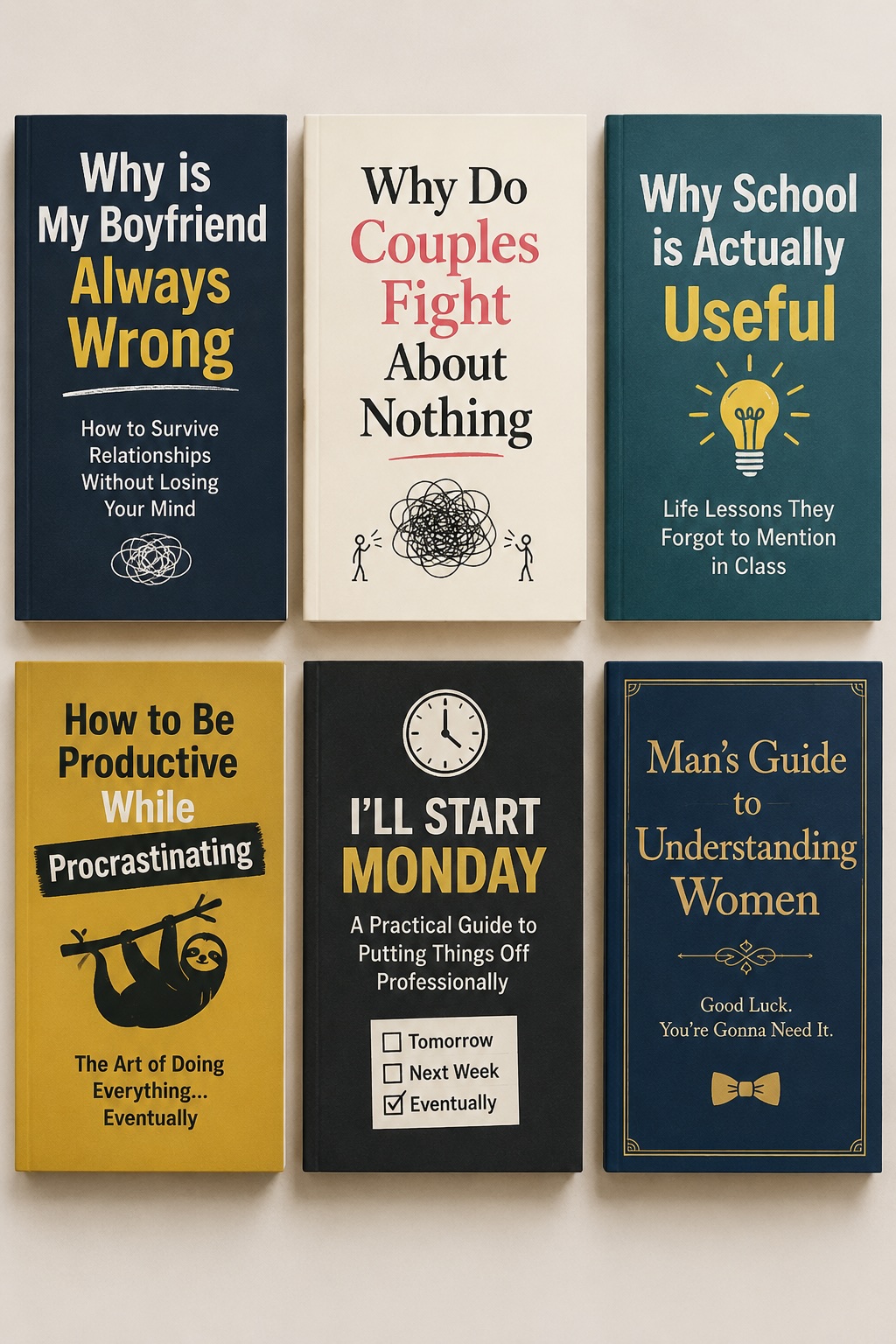
Funny AI Book Cover Examples
More Viral AI Trend Generators
Action Figure Prompt Generator
Turn yourself into a collectible toy — the other massive 2026 viral trend
Chibi AI Prompt Generator
Kawaii chibi art — viral via Grok Imagine's built-in chibi template
Hug My Younger Self
The emotional AI art trend — 50M+ posts, deeply viral in 2026
GPT Image 2 Prompt Generator
The best tool for face-preserving AI images — 20 free prompts
Grok Imagine Prompt Generator
Free AI image generation with FLUX.1 — great for the book trend
ChatGPT Photo Editing Prompts
30+ copy-paste photo editing prompts for ChatGPT